
How to Set Up a WordPress Staging Site and Push Changes Live Safely
A staging site lets you test updates on a copy before customers see them. Learn how to create one, lock it down…
Maintenance plans look alike until you ask the right questions. Use these 12 questions on scope, backups, response time, access and contract terms.
To choose a WordPress maintenance provider well, compare what each one promises to do, how fast they respond, how they handle backups and access, and what happens if you leave. Plans from different providers can look almost identical on a price page while covering very different work. This guide gives you 12 plain questions to ask, grouped into six areas. We are a WordPress service provider ourselves, so we wrote the questions to be asked of us as well.
A good provider can answer, in writing, what is included and excluded, how quickly they respond, where backups are kept and how restores are tested, what they do for security (without promising that nothing can ever go wrong), whether you keep full access to your site and data, and what the term and exit conditions are. If an answer is vague or missing, that tells you something. Compare scope, not only price; our guide on what WordPress maintenance costs explains why.
How this guide was prepared: it is based on the WordPress documentation listed under Sources, checked on October 23, 2026, and on how maintenance work is normally scoped. It is a checklist, not a ranking of providers, and we make no claims about any specific company.
Maintenance is a promise that someone will keep your site updated, backed up, monitored and fixed within agreed limits. WordPress installs minor core updates automatically by default, but the official documentation says plugin and theme updates are automatic only in special cases unless you enable them, so the rest of the work needs a person and a process. Our guide on what WordPress maintenance includes lists the usual tasks.
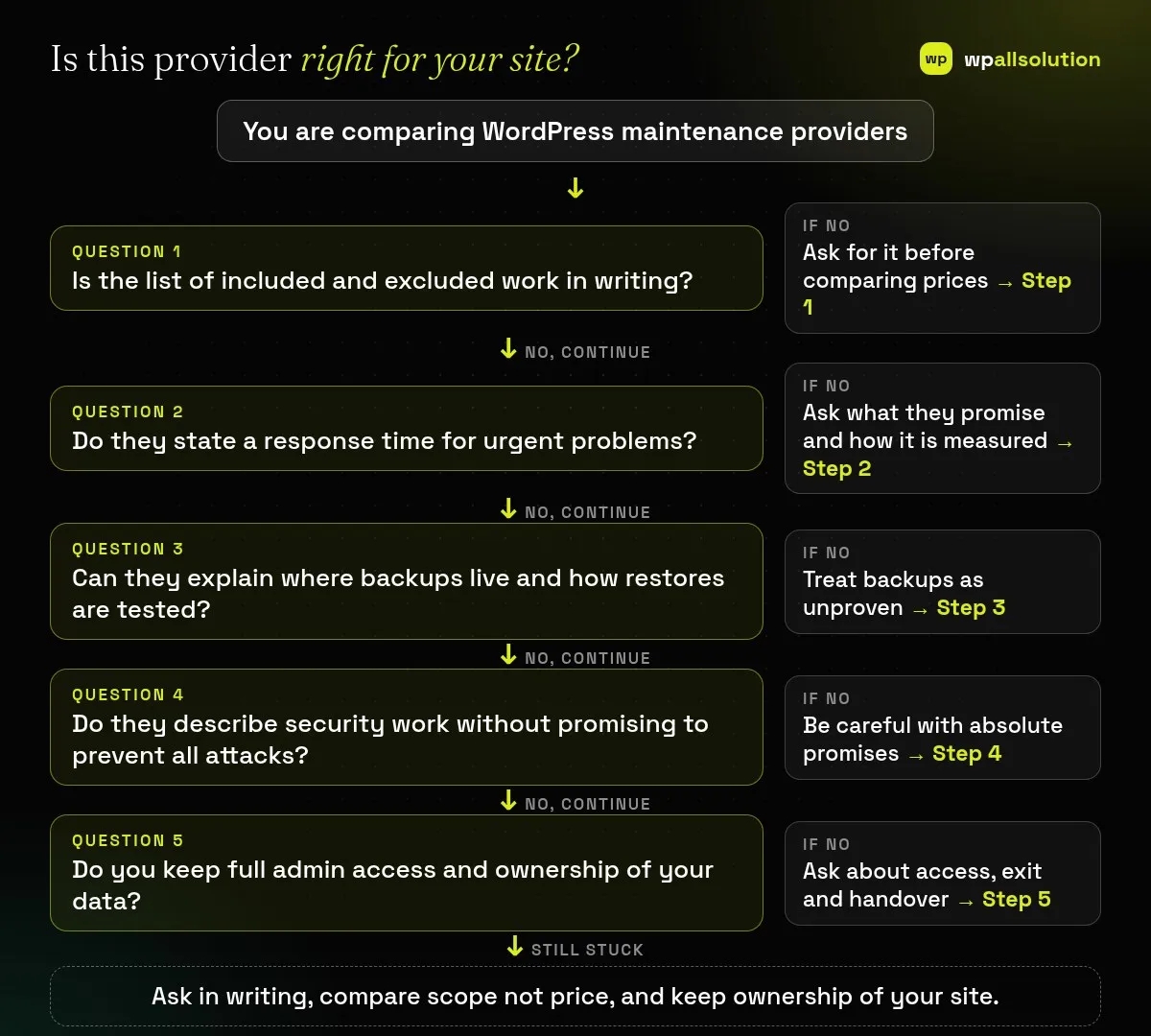
1. What exactly is included, and what is excluded? Ask for the list in writing. Common exclusions are design changes, new features and content work. 2. How many small fixes or support hours are included each month, and what happens to unused hours? Some plans include a few hours and some bill every fix separately.
3. How quickly do you respond to an urgent problem, and what counts as a response? A reply that says “we received it” is different from a person starting work. 4. Who will I talk to, and how? Ask about the channel, the working hours and who covers holidays.
5. How do you update and test? Look for a staging copy or at least a test routine for plugins, themes and checkout or forms; see how to update WordPress plugins safely. 6. Where are backups kept, how often are they taken and how do you test a restore? A backup that has never been restored is unproven; compare with is your WordPress backup really safe.
7. What do you monitor, and what do you do when an alert fires? Uptime, updates and basic security checks are common. 8. What does your security work include, and what are its limits? Be wary of anyone who promises that a site cannot be hacked; the WordPress hardening guidance describes practices that reduce risk, not a guarantee. See PHP2Shell and website security for why server-level issues also matter.
9. Will I keep full administrator access and ownership of my domain, hosting and backups? You should. 10. How do you store and share access details? A password manager or an access tool is safer than email, and the provider should use their own named accounts so every change can be traced.
11. What is the term, the notice period and the cancellation process? Check minimum terms and what is billed extra. 12. If I leave, what do I receive? Ask for documentation of what they installed, access handover and a backup copy, so you are never locked in.
Only if its scope covers your risks. A low price with many exclusions can cost more when something breaks.
For stores, membership sites and busy sites, testing updates on a copy is worth asking for.
Yes, if you keep ownership and access. That is why question 9 matters.
Then a one-time job may suit you better. See maintenance vs one-time fixes.
Related guide: Hiring vs Outsourcing a WordPress Developer: What Fits You
Take these 12 questions to every provider you consider, including us. wpallsolution publishes its WordPress maintenance packages with scope, terms and exclusions on the pricing page, and you are welcome to contact us with your questions. We cannot promise results without seeing your site.
A staging site lets you test updates on a copy before customers see them. Learn how to create one, lock it down…
Most break-ins start at the login screen. Use this practical checklist for passwords, two-step login, admin accounts, attempt limits and HTTPS.
Care plans give agencies steady work after launch. See how white label WordPress maintenance works, what to include and what to agree…
Black FridayCyber Monday sale
Before you go,
Our biggest discount of the year on the first payment of every maintenance plan.
BF2026 at checkout