
WordPress Login Redirect Loop: Fix Being Sent Back to wp-login
You type the right password and WordPress sends you back to the login page. The cause is usually cookies, address settings, caching…
A clear brief saves days of rework. Use this checklist to brief a white label WordPress developer on goals, designs, content, plugins, access and revisions.
To brief a white label WordPress developer well, tell them what the site must achieve, what you are giving them, what technical limits apply, how they will get access and how the work will be judged. Most delays and arguments in white label projects come from a thin brief, not from the code. This guide gives you a checklist you can copy into your own template, with notes on why each item matters. It works for a new site, a redesign, a WooCommerce store or a set of fixes.
A good brief covers six things: the goal and audience, the scope (pages, features, what is not included), the designs, content and assets (and what is still missing), the technical setup (hosting, plugins, integrations), safe access, and the timeline with revision and acceptance rules. Send it as a written document, not only a call, so both sides can check it. Never put passwords or client data in the brief itself.
How this guide was prepared: it describes common practice in agency and partner work and how we handle briefs in our white label service. It is a template to adapt, not a guarantee, and we make no claims about results. See what white label WordPress development is for the wider model.
In white label work the developer rarely meets your client, so the brief is the only source of truth. If the goal, the scope or the designs are unclear, the developer must guess, and guesses cost revision rounds. A short, clear brief also protects you: it shows what was agreed if opinions change. Your partner will usually review the brief, point out gaps and risks, and agree scope and milestones before work starts.
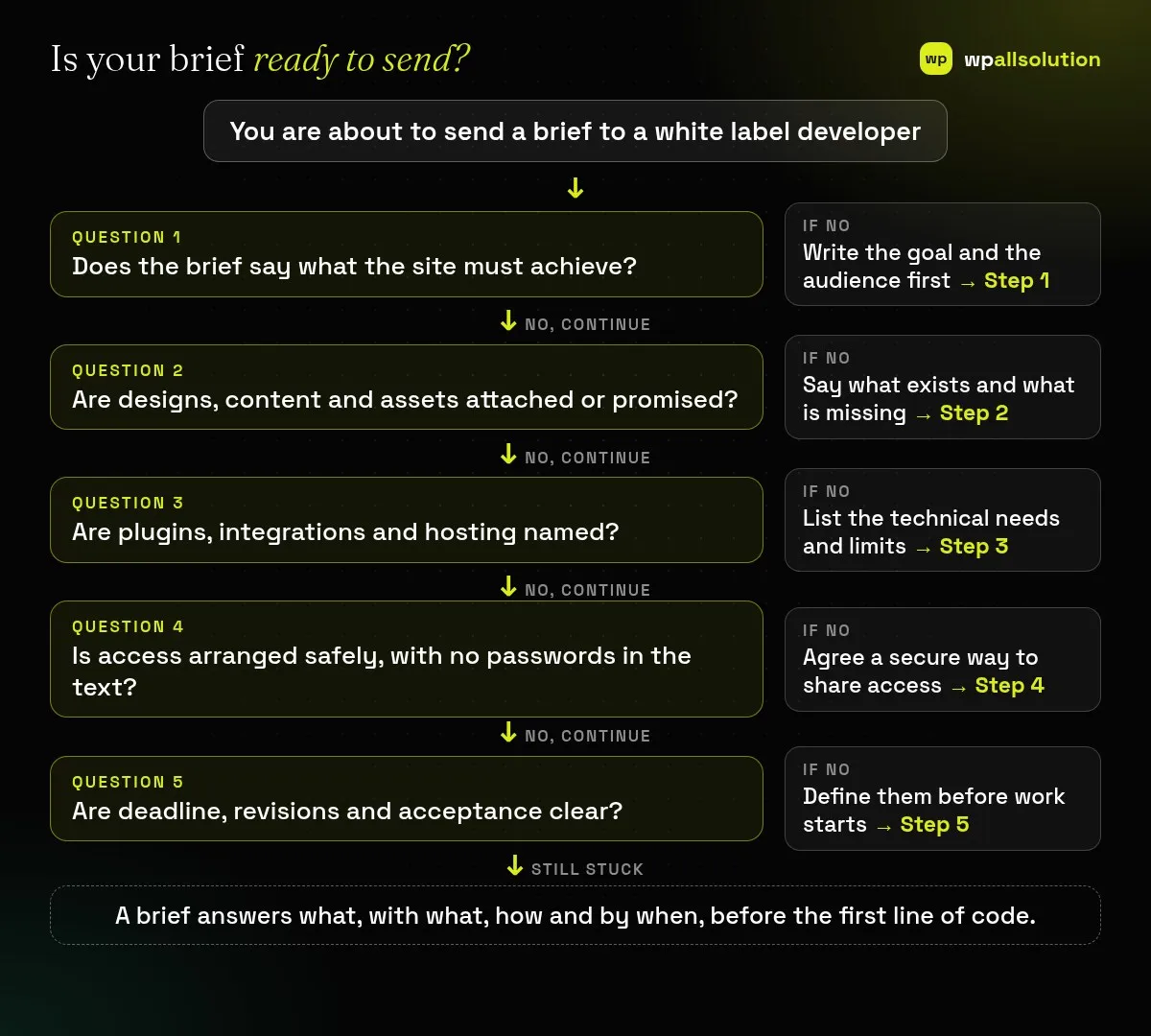
State what the site or change is for: leads, sales, information, a launch date. Describe who uses it and what they should be able to do. Add what success looks like in plain terms, for example “visitors can request a quote in two clicks” or “the store accepts orders in rupees and dollars”. Avoid numbers you cannot measure.
List the pages and features, and also what is out of scope. Attach the designs (Figma, PDF or screenshots) for desktop and mobile, brand colours, fonts and logos, and say whether content and images are ready or still coming. A design-to-WordPress build depends on the supplied designs and assets, so flag anything missing. Mention the builder you want (for example Elementor or Gutenberg blocks) or leave it to the developer’s advice; see Elementor development and Gutenberg development.
Name the hosting provider, the PHP and WordPress versions if known, the theme, the plugins that must stay, and integrations such as forms, payments, CRM or email. Note browsers and devices you must support, accessibility and performance expectations, and any existing code or staging site. For stores add products, payment methods, shipping and tax needs; our WooCommerce maintenance checklist shows what a store depends on. If the site already has problems, say so honestly.
Agree how the developer gets access: a named user account, not a shared password, and a secure way to share credentials rather than email or chat. Say what data must never be copied, and who may speak to the client. If confidentiality matters, agree an NDA first; see NDA for white label WordPress work. State how branding works, for example whether the developer may be named.
Give the deadline and the real reason for it, the milestones you want to review, the number of revision rounds, who gives feedback and who approves. Define acceptance in plain words: what “done” means, such as “pages match the approved designs on desktop and mobile and forms deliver to the agreed address”.
Decide what happens next: handover files, documentation, a support period, and ongoing care. Maintenance can follow the build; see white label WordPress maintenance and WordPress maintenance packages.
| Section | Include |
|---|---|
| Goal | Purpose, audience, what a successful visit looks like |
| Scope | Pages, features, what is out of scope |
| Design | Files for desktop and mobile, brand assets, builder preference |
| Content | Text and images: ready, partly ready or missing |
| Technical | Hosting, theme, plugins, integrations, browsers, performance needs |
| Access | Named accounts, how credentials are shared, confidentiality and branding rules |
| Timeline | Deadline, milestones, revision rounds, approver, acceptance |
| After launch | Handover, documentation, support, maintenance |
As short as it can be while answering the six sections. A page or two is often enough for small work.
Not always. You can brief for a design-and-build, but say so, and expect a different scope and price.
No. Share access separately and securely, and use named accounts.
Agree a revision limit and a change process, so new requests are quoted, not absorbed.
Related guide: Hiring vs Outsourcing a WordPress Developer: What Fits You
Fill the checklist for your next project and send it to your partner. wpallsolution works with agencies and freelancers under their own brand and reviews briefs for gaps; see our white label WordPress development service or contact us with your brief. We cannot promise results without seeing it.
You type the right password and WordPress sends you back to the login page. The cause is usually cookies, address settings, caching…
Most break-ins start at the login screen. Use this practical checklist for passwords, two-step login, admin accounts, attempt limits and HTTPS.
A staging site lets you test updates on a copy before customers see them. Learn how to create one, lock it down…
Black FridayCyber Monday sale
Before you go,
Our biggest discount of the year on the first payment of every maintenance plan.
BF2026 at checkout