
WordPress Update Checklist: Update Safely and Roll Back if Needed
Updates fix security issues but can break a site. Use this checklist to back up, update in a safe order, test your…
Do you find out your site is down from a customer? Set up uptime checks and alerts, choose what to monitor and follow a simple response plan.
WordPress uptime monitoring means a service outside your own server checks your site every few minutes and tells you when it stops responding. Without it, you usually learn about downtime from a customer, a missed order or a search result that has gone strange. This guide explains what to monitor, how to set up alerts that reach a real person, and what to do in the first minutes after an alert.
Use an external uptime service to check your home page every few minutes. Add a keyword check so a blank page or error message that still returns a normal response is caught. Send alerts to more than one person by email and phone, and also watch your SSL certificate expiry and one or two key pages such as checkout or contact. Write a short response plan: check hosting status, check recent changes, restore if needed and record what happened. Remember that a brief outage is normal on any host, so focus on repeated or long ones.
How this guide was prepared: it is research-based and partly experience-based. For the search impact we used the Google documentation listed under Sources, checked on October 23, 2026. We do not recommend one monitoring product here, and we did not test your site.
Google’s documentation says that pages returning server errors (5xx) are ignored, that crawlers slow down when they see them, and that URLs which persistently return a server error can eventually be dropped from the index. A short blip is unlikely to matter, but a site that is down for long periods can lose visits, sales and search visibility. Once the server returns a normal response, Google says it gradually increases crawling again.
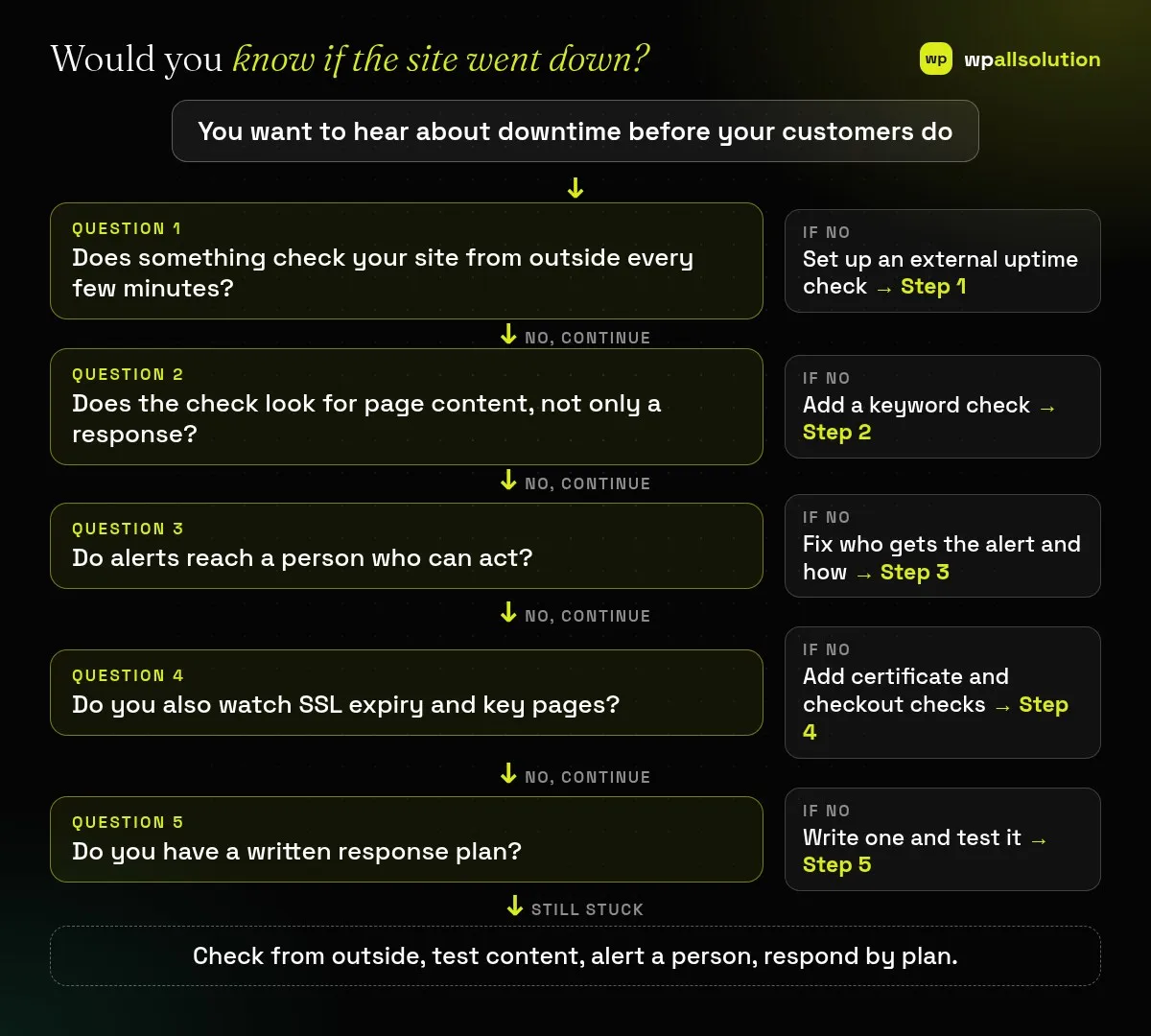
A plugin that runs on your own site cannot tell you when the whole site or server is down. Use an external service that requests your page over the internet at a regular interval, such as every one to five minutes. Many services offer a free plan for a small number of monitors; compare what the free plan includes before you commit.
A site can return a normal response while showing a blank page or a database error message. Choose a keyword check that looks for a phrase that should always be on the page, such as your company name in the footer, and alerts you if it is missing. See the WordPress critical error guide for one common cause.
Alerts that go to an inbox nobody reads are useless. Send them to at least two people and use a channel that is seen quickly, such as a phone notification or a team chat message, as well as email. Decide who takes the first action and what the backup is for nights and holidays. Avoid alert fatigue by requiring two failed checks before alerting.
An expired SSL certificate shows visitors a security warning even though the server is running, so set a reminder or monitor for the expiry date. Also watch the pages that earn money, such as the checkout, contact form or booking page. A form that silently stops sending is a form of downtime; see Contact Form 7 not sending email.
When an alert arrives, work through a short list: confirm the outage from another network, check your host’s status page, check what changed recently (updates, plugins, DNS), turn on debugging only if needed (see the WordPress debug log), and restore a backup if the cause is not clear. Afterwards write down the time, cause and fix. If you pay for maintenance, ask whether monitoring and a monthly report are included. For active hacks or outages, see our emergency fix page.
Every one to five minutes is common. Shorter intervals find problems sooner but can cost more.
No host can promise it. Plan for short outages and watch for repeated or long ones.
Google says persistent server errors can lead to pages being dropped from the index, while short outages are less of a concern.
Not for uptime checks. An external service is better, because a plugin cannot report when the whole server is down.
Related guide: “Missed Schedule” in WordPress: Fix Scheduled Posts That Do Not Publish
Set up one external check and one keyword check today and send a test alert. wpallsolution’s WordPress maintenance packages can include monitoring; contact us to ask what fits your site. We cannot promise zero downtime.
Updates fix security issues but can break a site. Use this checklist to back up, update in a safe order, test your…
WordPress 7.1.3 is a security and maintenance release. Here is what it fixes, who should update, and how to update and verify…
Moving hosts is where sites lose orders, emails and rankings by accident. Copy first, test on the new server, lower DNS TTL,…
Black FridayCyber Monday sale
Before you go,
Our biggest discount of the year on the first payment of every maintenance plan.
BF2026 at checkout